Manage the shift time · Guide 1 of 4
Editing planned shift time
Who can extend or shorten a running or ended shift in the Shift View, how to do it with Edit shift time, and its limits.
On this page
Sometimes, work in the factory can be different from the scheduled shift times. For example, a shift might not be finished when operators closed their day earlier than the template was set, leaving a time of uncommented downtime during which no work actually happened.
Users can extend or shorten ongoing shifts when necessary, making management of shifts more flexible. This feature needs to be enabled from station settings (allow managing of shifts).
If enabled, users can (in addition to start and finish extra shifts) change the planned shift time.
Who can edit shift times?
- Administrators (company and factory), office users and operators can edit the end and start times of the running shift.
- Administrators can edit the start and end times of ended shifts; this is not allowed for office and shift view users.
How to edit shift time
-
Click on the dotted menu item on the left side of the bottom menu in Shift View and choose Edit shift time.


-
For an ongoing shift:
-
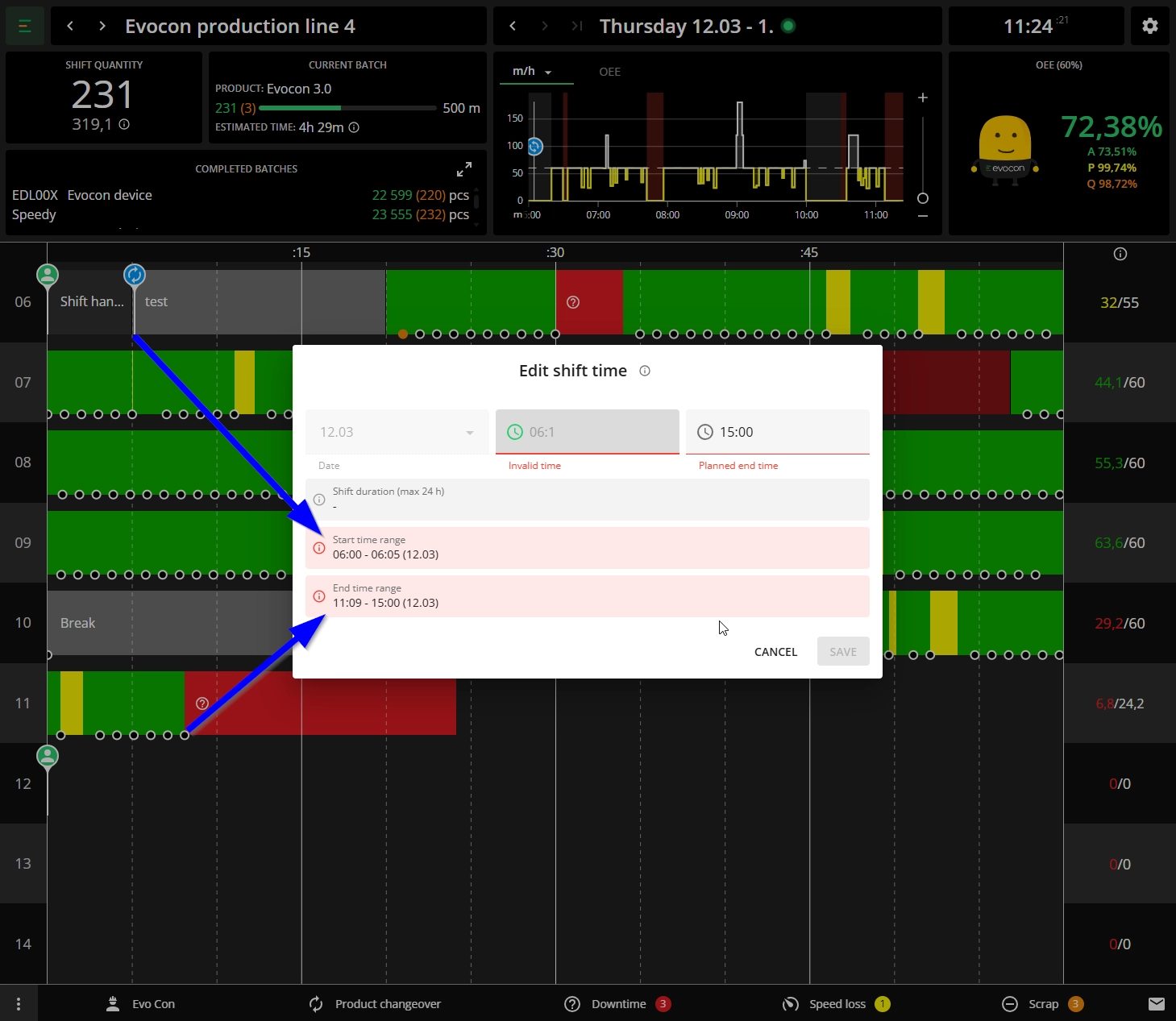
It is not possible to crop out any signals or changeovers. So, in the example below, the changeover in the beginning (at 06:05) sets the limit to where the start time can be moved to, and the last signal (at 11:09) sets the limit to where the end time can be moved to:
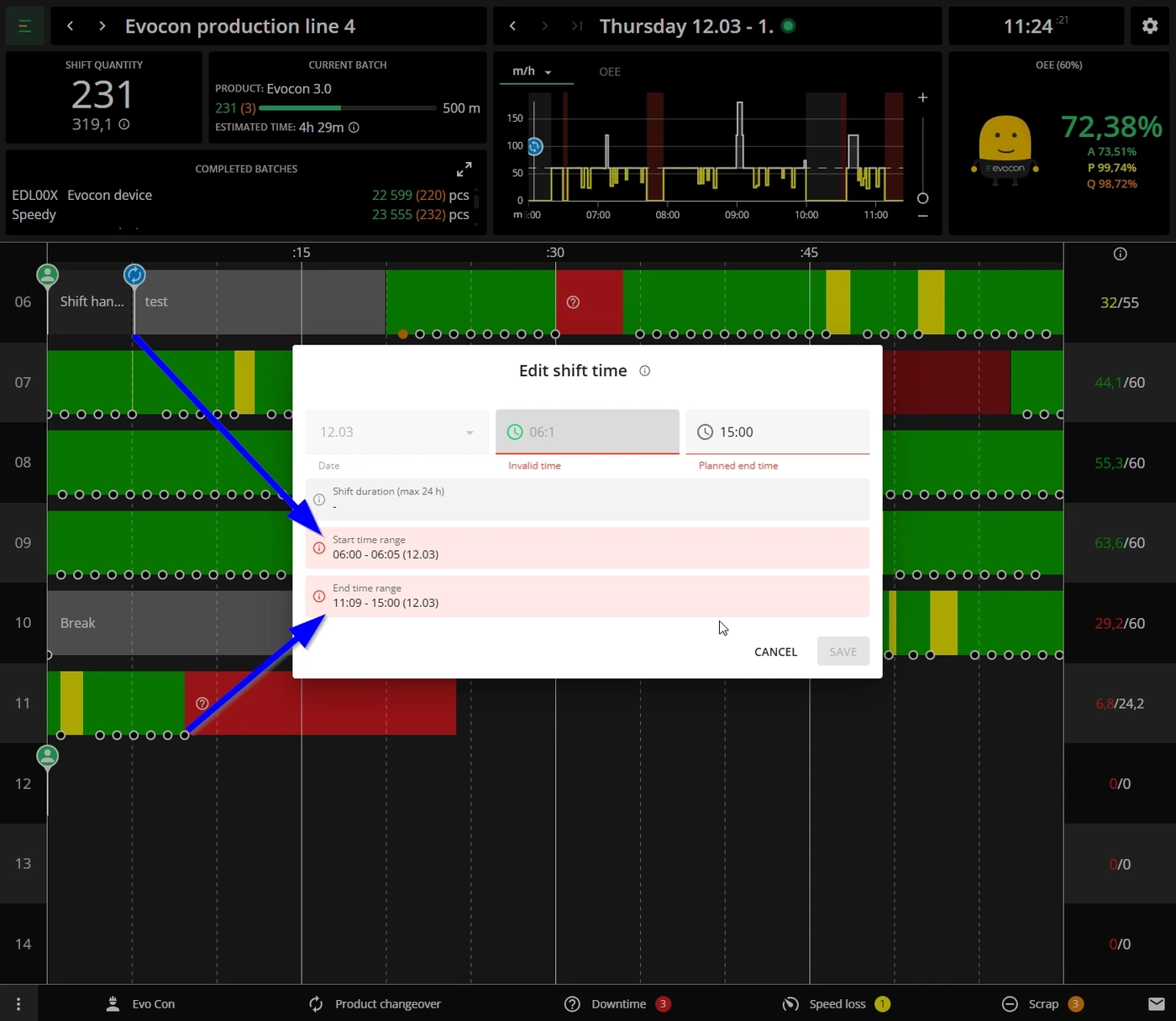
-
It is not possible to modify shift time in a way that the shift would overlap with a previous or an upcoming shift.
-
It is not possible to start a planned shift earlier than the defined starting time, but it is possible to edit the shift time later (after the shift has ended).
-
If there is a mistake in the edited time, an error is indicated:

-
To avoid errors, the duration of the shift is also shown:

-
-
For an ended shift:
-
The same applies as for ongoing shifts – it is not possible to crop out any signals or changeovers.
-
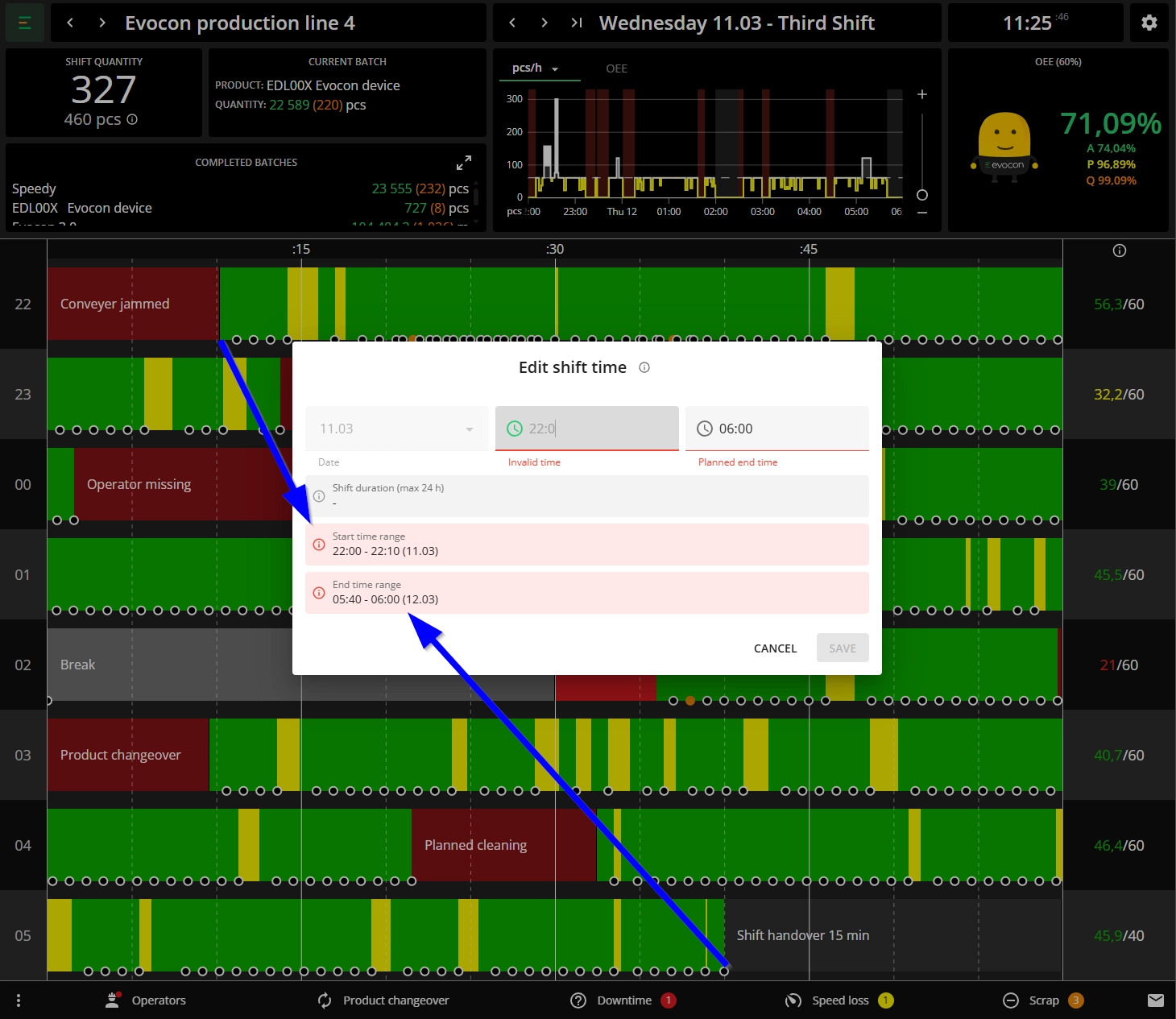
In this example, the shift started and ended with a stop, so the start and end times can be moved to the first and last signal respectively:
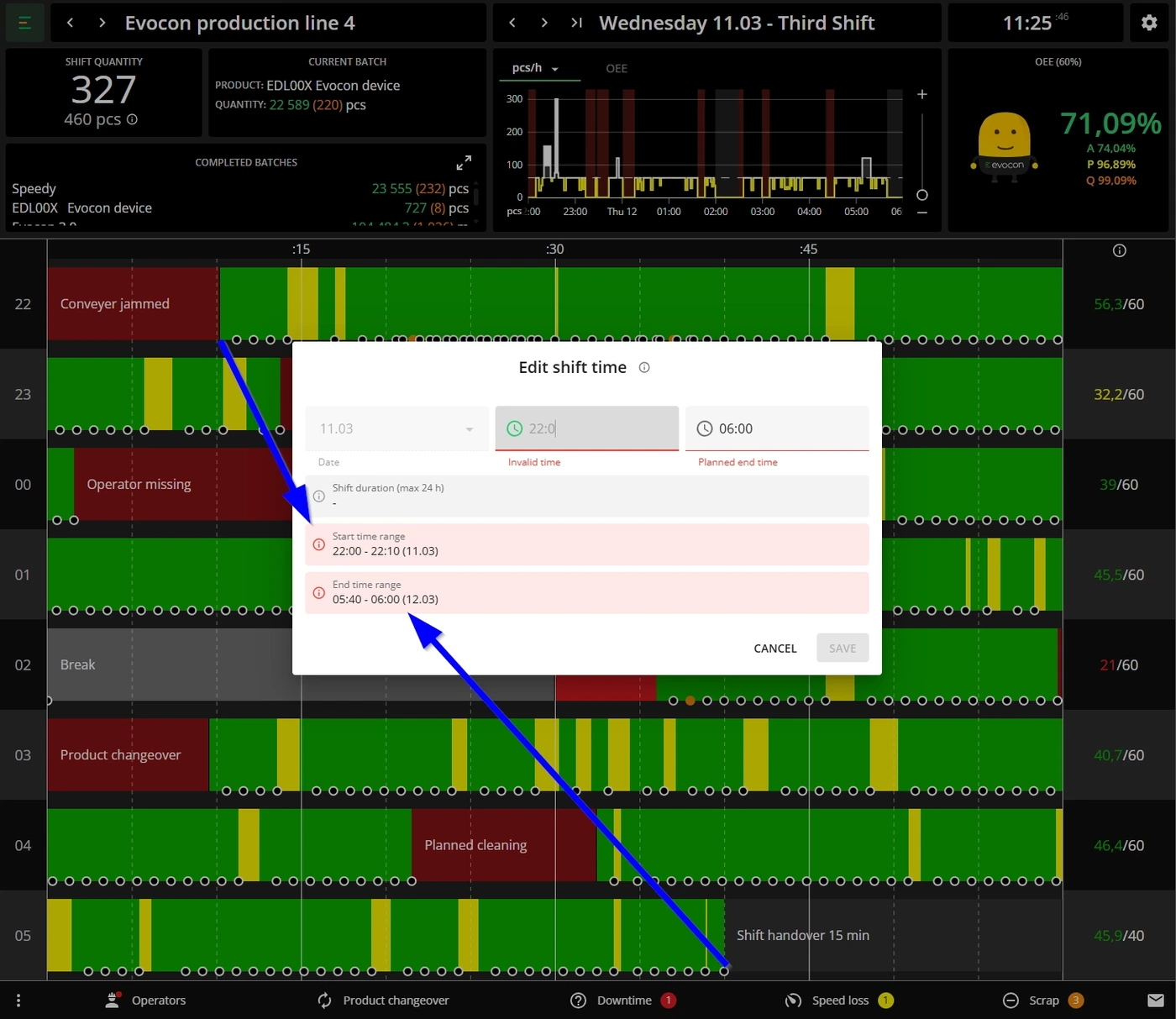
-
If there is a mistake in the edited time, an error is indicated:
-