
Reports and analysis · Guide 9 of 28
Reports: Speed loss
What the Speed loss report chart and data table show and how to drill down into speed loss reasons.
On this page
What does the Speed loss chart show?
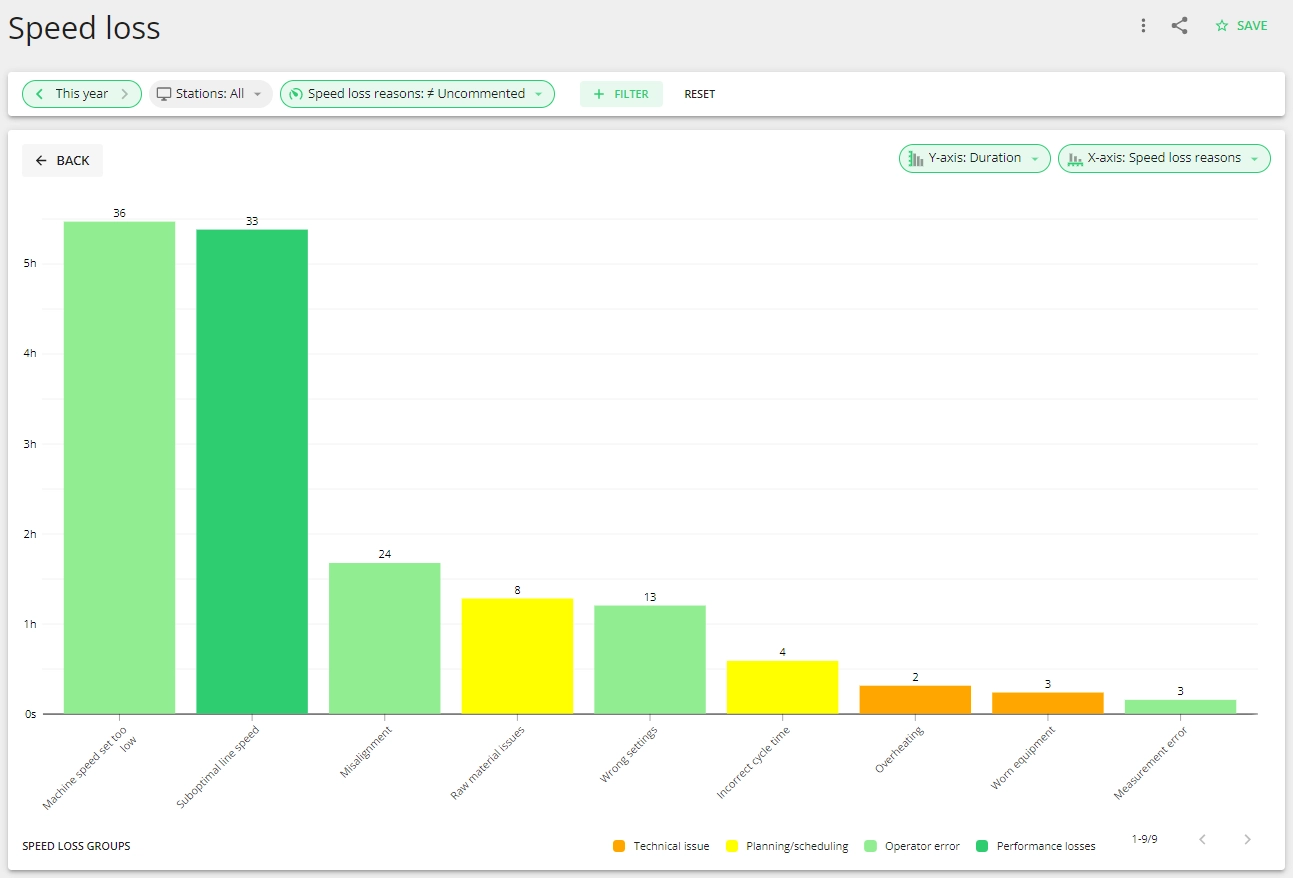
The Speed loss chart visualizes your production speed loss reasons, whereas the color of each breakdown depends on the stop group it belongs to.
Using different colors to differentiate groups gives your team the possibility to immediately understand what issues contribute most to losses in speed. The numbers on top of the bars give an overview of how many times during the selected time period these speed losses have occurred.
What production data is displayed in the data table?
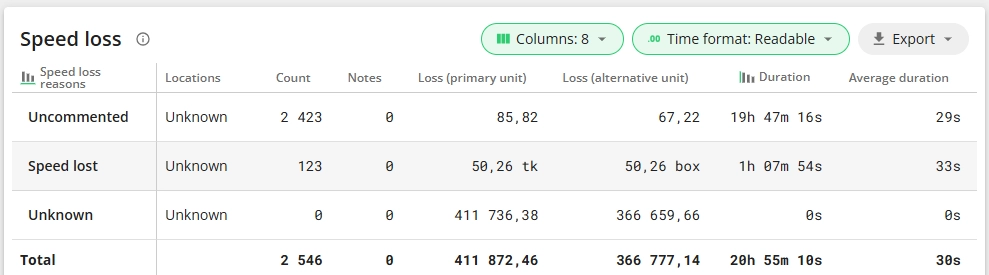
Everything you see on the chart is also shown in the data table, and some more. The table gives an overview of all speed loss reasons during the selected time period, including the group they belong to.
In the data table:
- Count - the exact number of occurrences.
- Notes - if operators have added extra notes, then an icon indicates this and the notes can be viewed.
- Loss (primary and alternative unit) - units lost due to speed loss (performance loss).
- Duration - the total time.
- Average duration - the average duration of a speed loss with that specific reason.
How to analyze speed loss reasons?
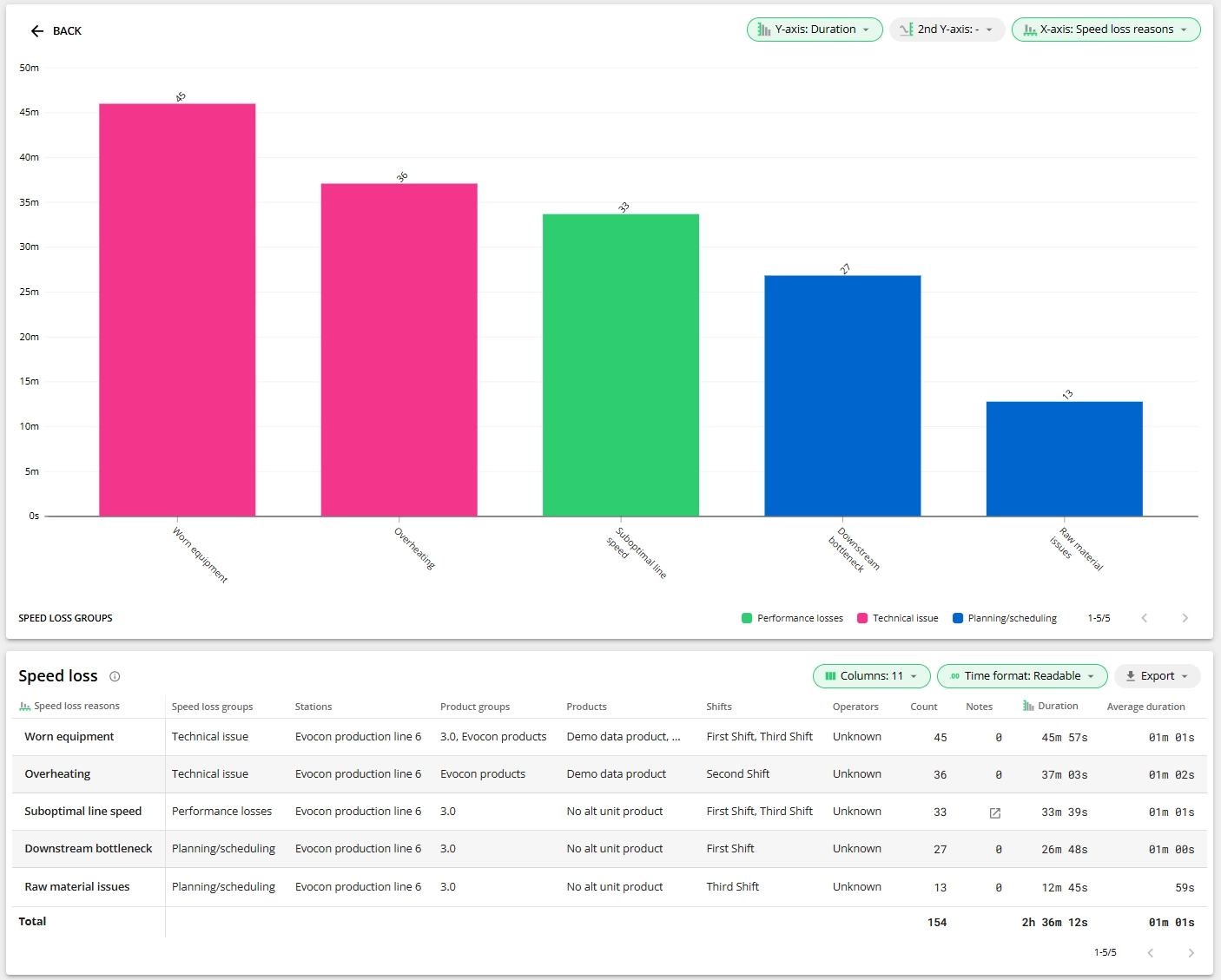
By using the drill-down feature for the first column elements, you can visualize speed losses in more detail. You can change the first column element by changing the x-axis value - for example speed loss groups or stations. You can also change the y-axis value, please find more information here.
The chart visualizes the selected data and the data table shows you the specifics (count, duration and average duration).
Note: Please find the description of the general reports features here.