
Process metrics and monitoring · Guide 1 of 4
Process metrics
Real-time process and environmental metrics widgets in Shift View: benefits, examples, widget setups, data extraction via API, setup options and pricing.
On this page
It is possible to set up real-time tracking of different process and environmental metrics as widgets in Evocon Shift View. It is also possible to access the metrics data via API for analysis or further visualization.
If you're interested in this feature, please reach out to Evocon Support, and we'll confirm whether the measure(s) you'd like to display can be added as a widget. Pricing for these widgets starts from €19/month, per data endpoint.
What are the benefits process metrics can offer?
Depending on the data being monitored and what actions are taken, these graphs can provide significant value in terms of:
- Energy efficiency - identifying opportunities to reduce energy consumption.
- Environmental impact - gaining a better understanding of how certain production operations affect the environment.
- Cost reduction - identifying areas where operational costs can be reduced.
- Operational efficiency - streamlining processes to improve overall productivity.
- Quality improvement - enhancing the quality of output.
- Data-driven decision making - using real-time data to guide informed decisions for continuous improvement.
Examples of data that can be monitored
Here are some examples of how Evocon helps customers maximize the value of their data.
Monitoring temperature
For example, temperature needs to be in a certain range for a painting process (35-40 degrees Celsius) for the paint to set correctly. If it is lower or higher, operators need to take action. Having this metric in the Shift View helps the operators keep an eye on it while following the overall production as well (marking changeovers, commenting stops, etc).
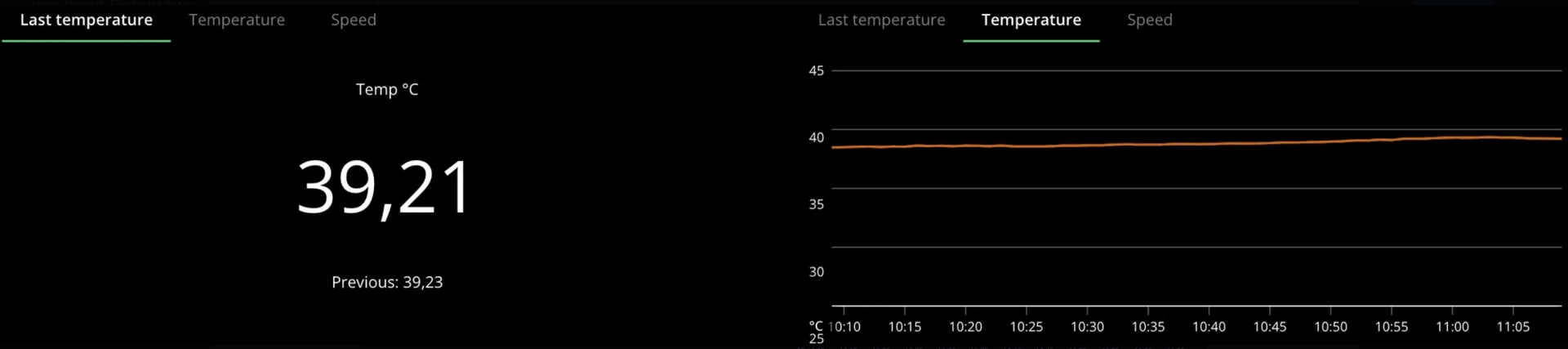
Both numerical and graph-style visualization available
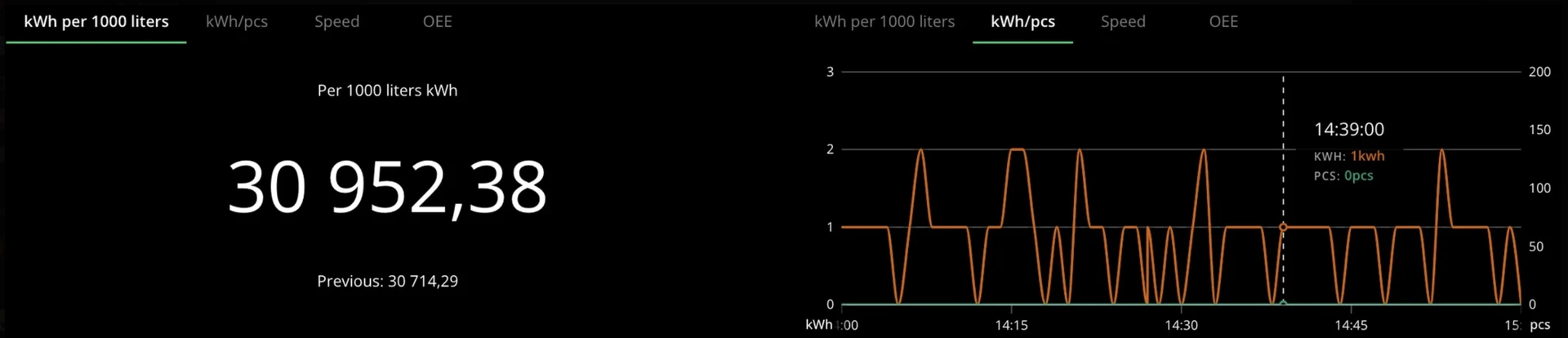
Energy consumption (kWh)
Monitoring machine energy consumption allows factories to optimize production efficiency, lower energy costs, and reduce downtime. This results in cost savings, improved regulatory compliance, and a smaller carbon footprint, ultimately boosting operational performance and sustainability.
By comparing energy usage with production volume and maintenance/production schedules, insights can be drawn to identify patterns and make data-driven predictions.
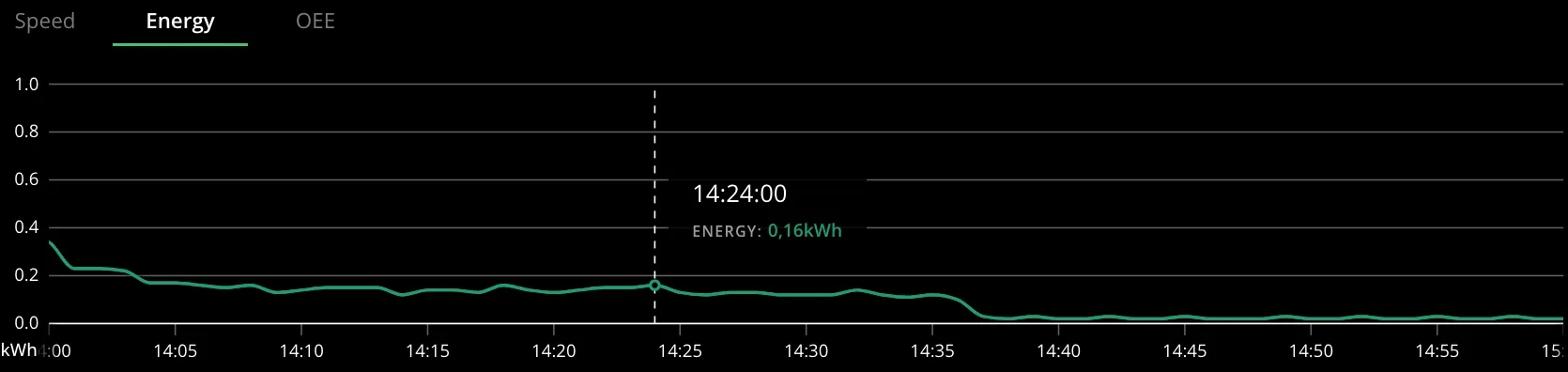
Both numerical and graph-style visualization available
Please also see this article about energy consumption monitoring in Evocon.
Conveyor speed
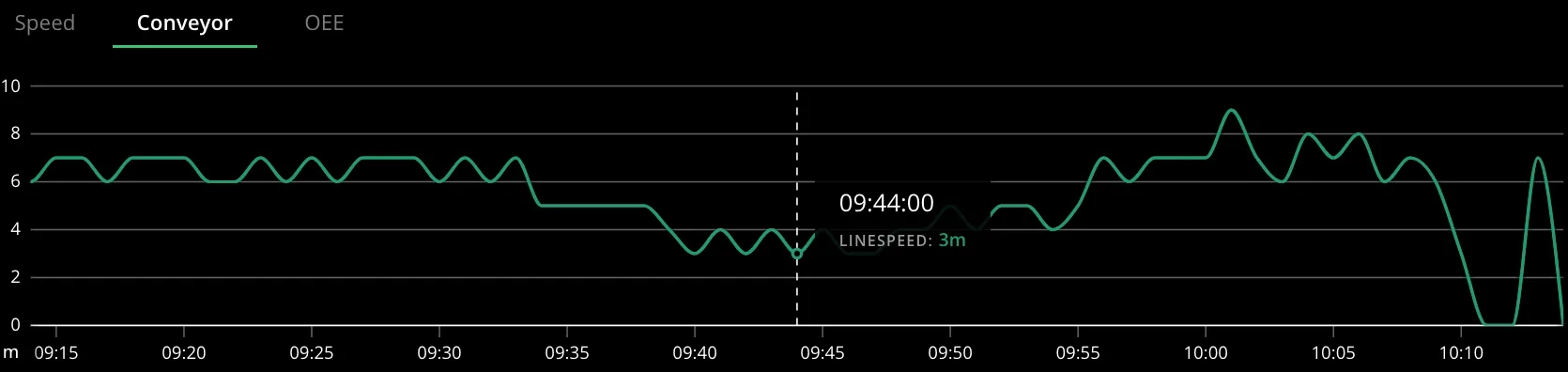
Conveyor speed can be displayed in meters per minute (m/min), and it is also possible to compare product speed and conveyor speed on the same graph. By analyzing this data, it's possible to identify the relationship between product output and conveyor speed, helping to determine the optimal speed for maximum manufacturing efficiency.
CO2 consumption
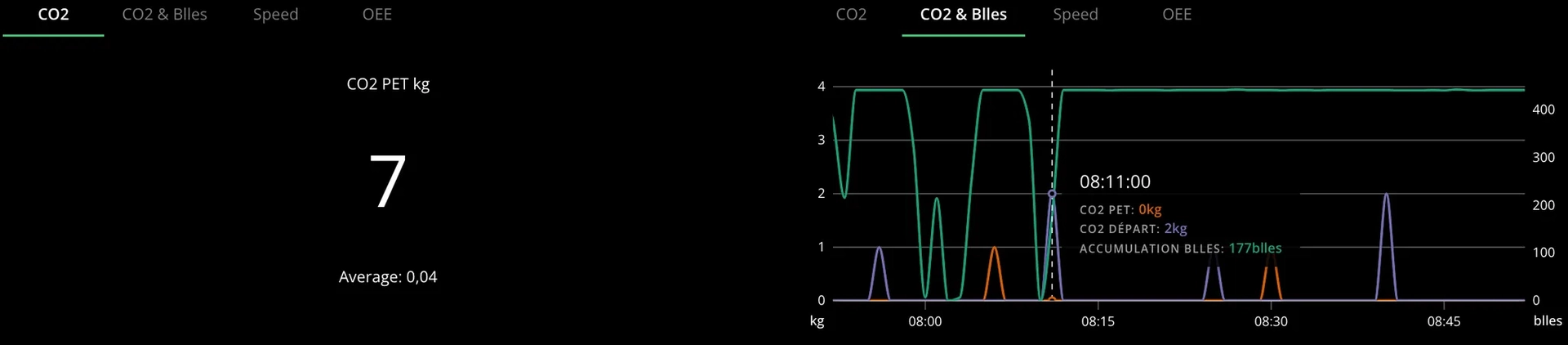
Monitoring CO2 consumption provides regulatory benefits by ensuring compliance with environmental standards. It also helps identify potential leaks, allowing for prompt action to minimize emissions and improve overall sustainability.
The widget graph has multiple metrics:
- Green line ("Accumulation blles") - number of bottles produced.
- Purple line ("CO2 depart") - indicating the amount of CO2 emitted during carbonation or venting.
- Orange line ("CO2 PET") - indicating the amount of CO2 emitted during the filling of PET bottles.
Widget setups
We offer two main types of metrics widget setups: graph and numeric. For graph-style widgets, we can display up to 5 different data points on a single graph, with each represented by a separate line and a second y-axis for added clarity.
Below is an example featuring two measures on a single widget:
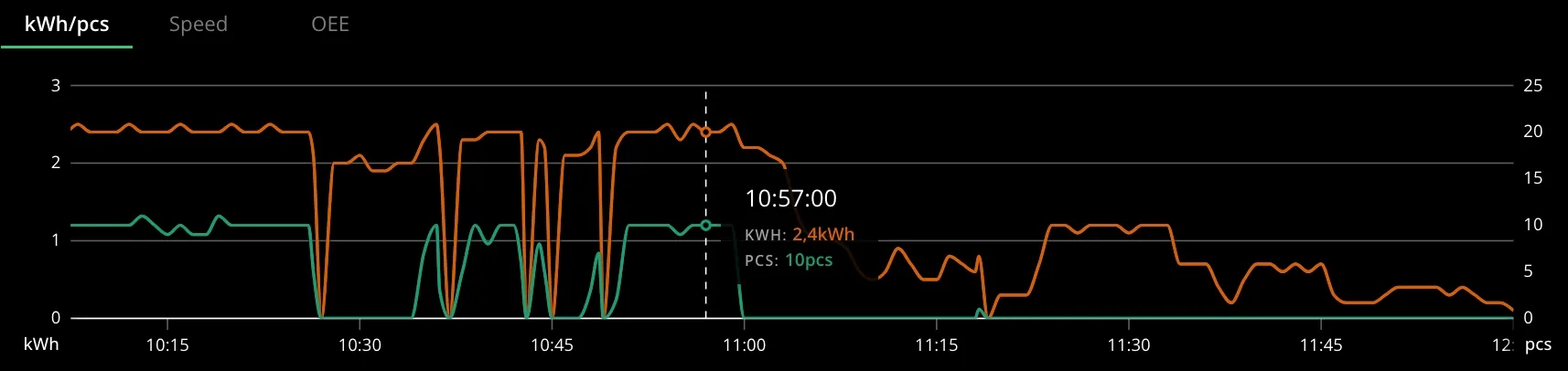
Multiple metrics widgets for one station
We can also add multiple metrics widgets into one Shift View:
-
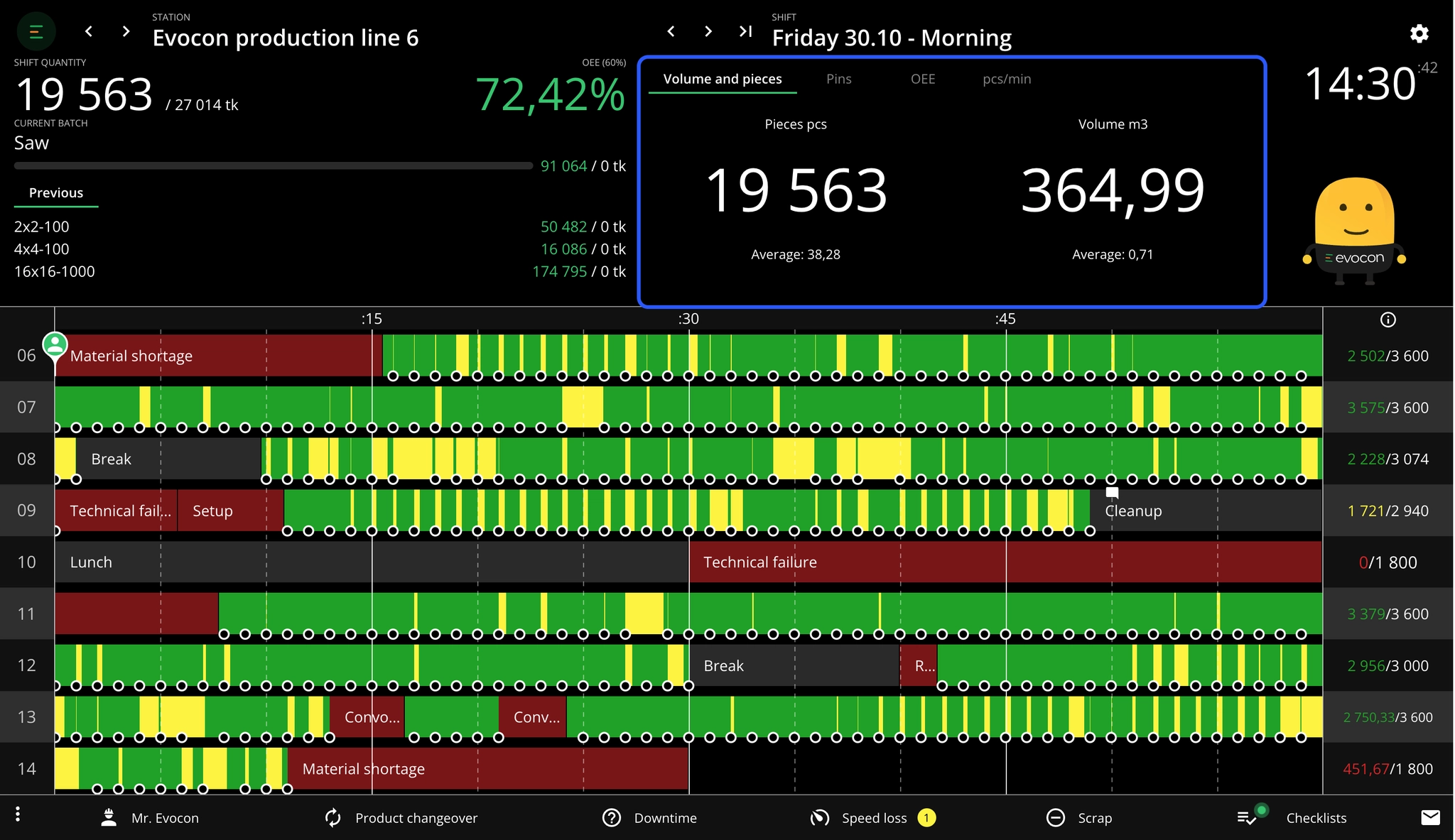
In total, it is possible to add 1 graph-style widget and 2 numeric-style widgets for the same station. As they are displayed in the same place as the standard widgets (Speed and OEE), you would see 5 different tabs for the widgets: 3 process metrics widgets, plus the standard Speed and OEE widgets.
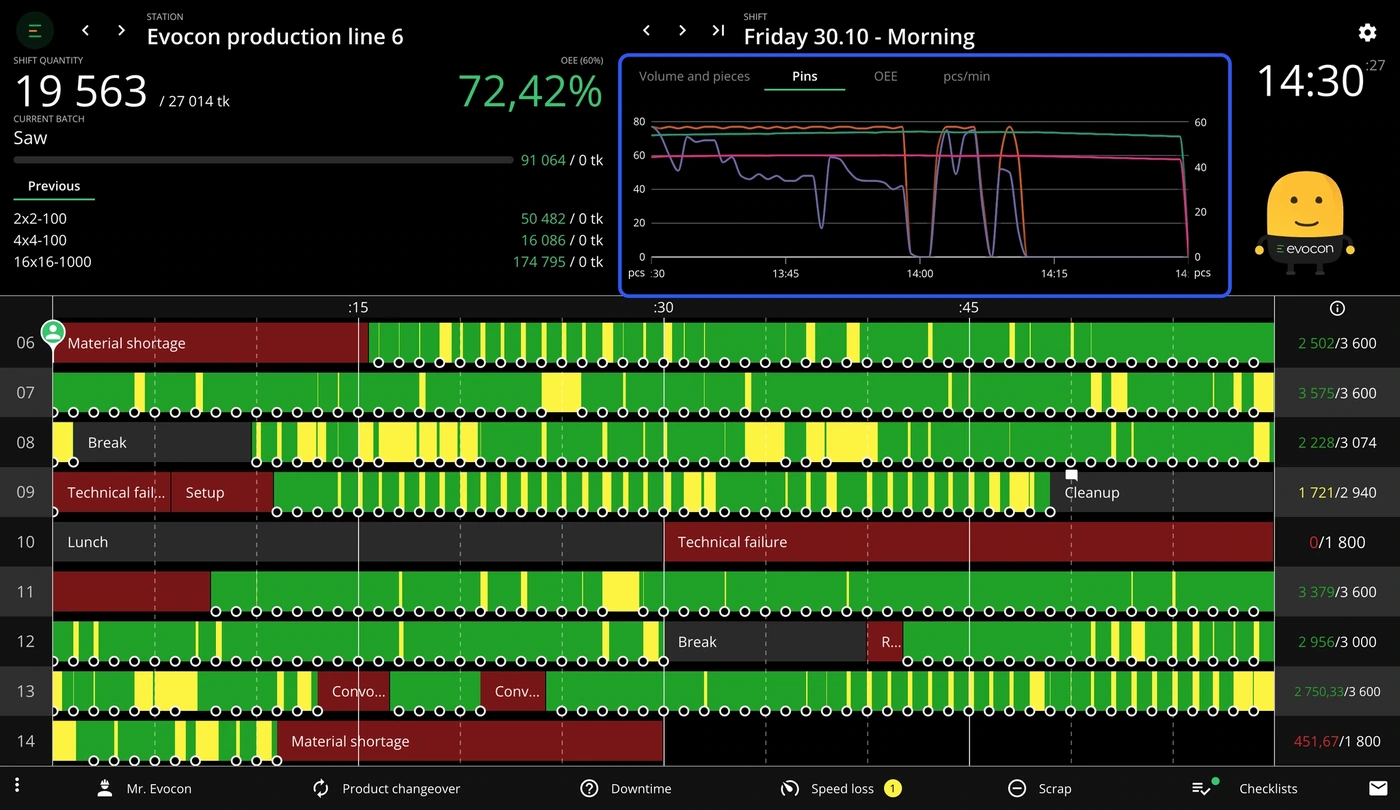
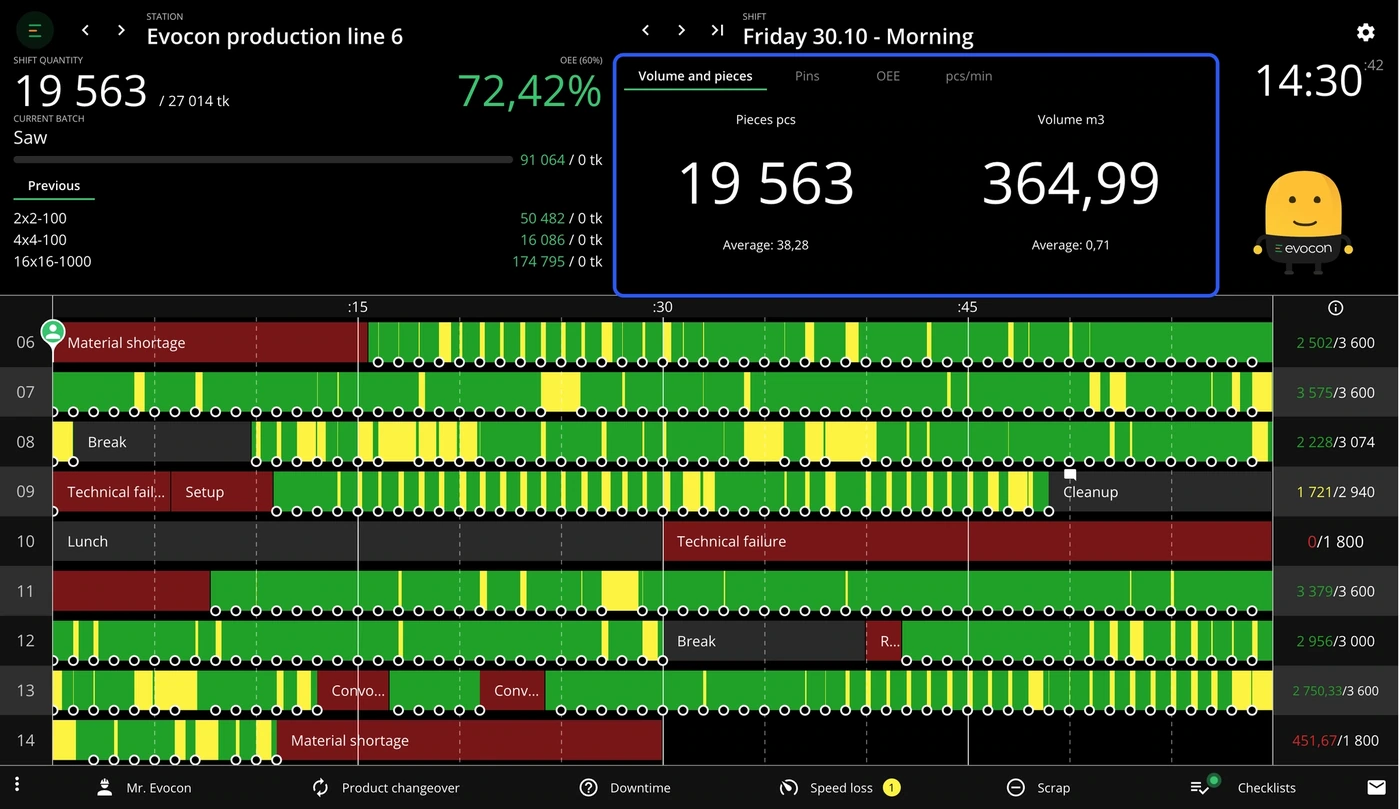
-
In the below image, there is an example with 4 tabs:

-
It is possible to add 2 graph-style widgets for the same station.
-
It is possible to add 2 numerical-style widgets for the same station.
-
It is possible to set the order of the widget tabs. For example, if you want the specific measure widget to be the first, then the standard Speed and OEE widgets are 2nd and 3rd.
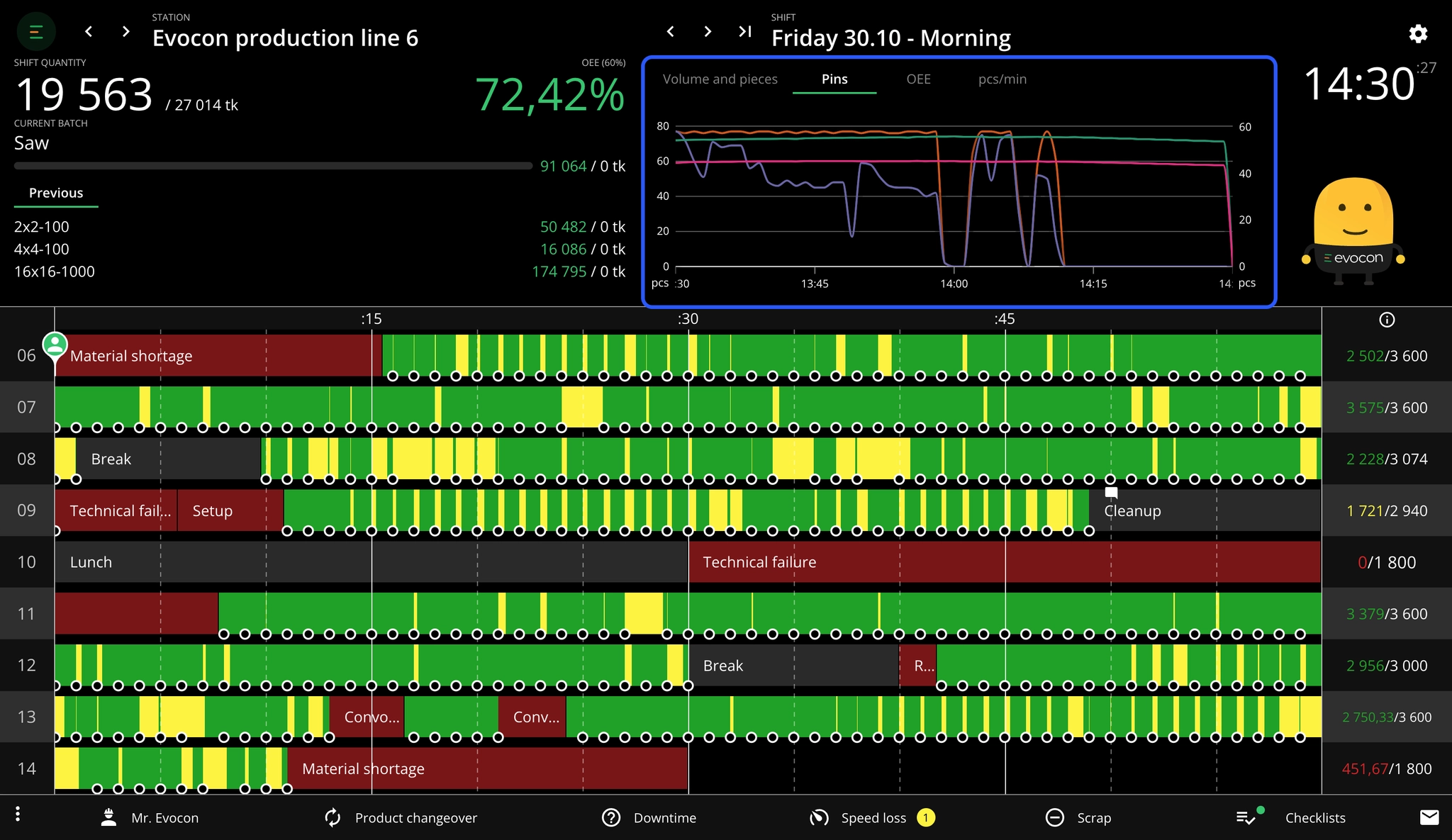
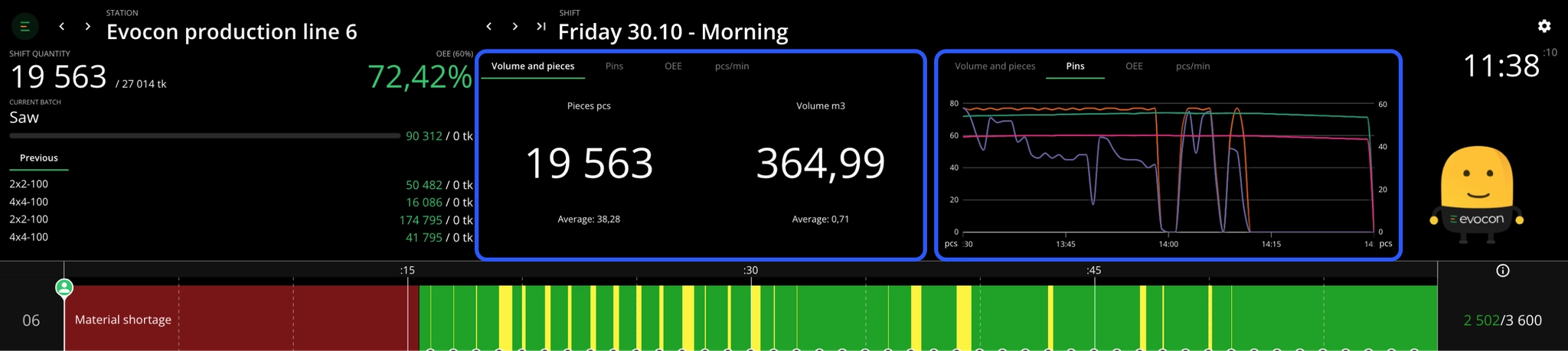
How can I see 2 metrics widgets side-by-side?
In case you have a large display, you can view two widgets side-by-side. Please find information about Shift View display modes here.
Extracting the process metrics data
This data is also retrievable using API, so you can build reports needed for further analysis, in addition to having the information running live in Shift View.
For more details, please refer to the link here.
Setup requirements and pricing
Setup options
-
Hardware-free API
If you already have a system for collecting data, you can send it directly to Evocon using our API. This allows you to display various metrics, such as production counts, energy consumption, or material usage, in Evocon's Process Metrics widgets. You can find detailed instructions on how to use the API here.
-
Hardware Solution
For those who prefer a plug-and-play solution, data gathered by Evocon IoT devices can be displayed in the process metrics modules. Our IoT devices are capable of registering digital 24V DC signals and 0-10V analog signals (input 3 of the device). The devices collect data and transmit it to Evocon, where it can be displayed in various process metrics widgets.
Pricing
- From €19/month, per data endpoint
If you have any questions about the pricing or would like to discuss a custom plan for your specific needs, please don't hesitate to contact us. We're happy to help you find the best solution for your business.