Users and permissions · Guide 10 of 12
Setting the default station for Shift View users
Why a default production station helps and how administrators set it for Shift View users.
On this page
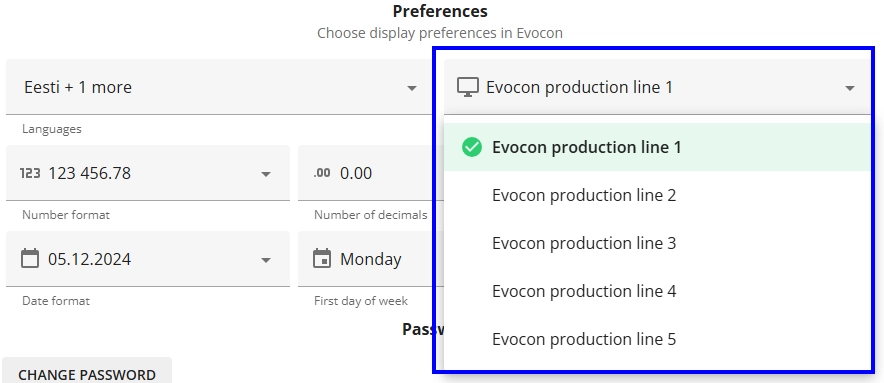
It is possible to set a default station for each user. If a user logs in to Evocon Shift View, he or she is automatically at the default production station.
The benefits of setting the default production station
Reacting quickly to problems on the shop floor is important to ensure that production is running smoothly and efficiently. A default production station can help achieve this by helping users quickly access the real-time production data (OEE, shift performance, production stops etc.) of the most important machine (the most complex, main producer, having most issues, etc).
How to set the default station for Shift View users?
For Shift View users, administrators can change the station as follows:
-
Go to Settings and open the Users card.

-
Find the user account and open for editing.
-
Under the Preferences section, choose the station from the list and click Save.