
Security and audit · Guide 3 of 7
Setting security profiles for user accounts
How Company administrators assign a security profile to other users' accounts and to their own account (Enterprise package only).
On this page
Who can set security profiles to user accounts?
Only Company administrator accounts can set security profiles for user accounts (including their own).
How is a security profile set for a user account?
For other user's account
-
Go to Settings —> Users.

-
Start adding a new user account or open an existing one for editing.
-
There is a dropdown for the Security profile
-
Select the suitable profile from the dropdown (marked with number 1 in the image below) and click "Save" to confirm.
- There is also a link that opens the list of Security profiles in a new tab (marked with number 2 in the image below).

Company administrator users for their own account
-
Go to your profile:

-
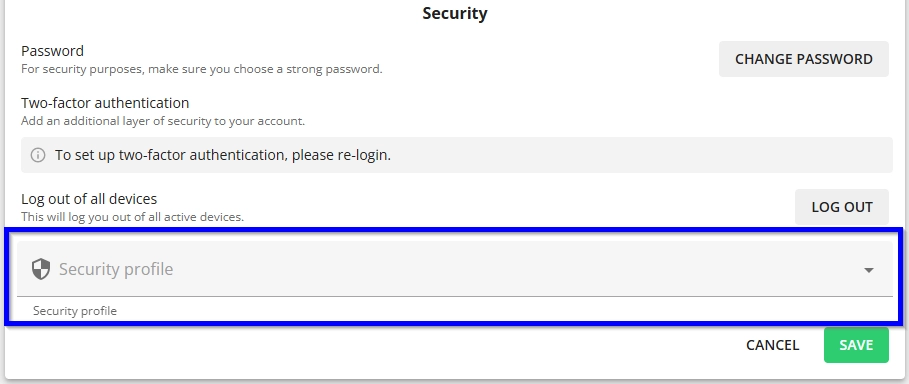
Under the Security section there is a dropdown for the Security profile:
-
Select the suitable profile and click "Save" to confirm.